

Figma Context MCP
Give your coding agent access to your Figma data. Implement designs in any framework in one-shot.
MCP · Conecta un servicioSe ejecuta en tu computadora
Official Sleek agent skill for creating and editing mobile app designs through the REST API. Includes account setup, screenshots and screen HTML.
Si lo creaste tú, pega este código en tu README. La insignia enlaza a esta página.

[](https://mcp.popnx.com/en/skills/sleekdotdesign-agent-skills)Servidores MCP que conectan la IA a servicios para el mismo trabajo
Give your coding agent access to your Figma data. Implement designs in any framework in one-shot.
draw.io diagrams your AI agent draws on a live browser canvas that you can also edit by hand
Create, inspect, validate, and save editable 3D building scenes with Pascal's MCP server.
Mismo tipo de trabajo, ordenadas como la lista de Skills
| Este agent-skills | impeccable | diagram-design | frontend-slides | guizang-ppt-skill | |
|---|---|---|---|---|---|
| Autor | sleekdotdesign | pbakaus | cathrynlavery | zarazhangrui | op7418 |
| Skills | 1 | 1 | 1 | 1 | – |
| Estrellas de GitHub | 601 | 111.131 | 67.544 | 32.399 | 29.871 |
| Último cambio de código | 5 oct 2026 | 16 nov 2026 | 13 nov 2026 | 24 jun 2026 | 30 oct 2026 |
| Licencia | MIT | Apache-2.0 | MIT | MIT | AGPL-3.0 |
1 skills (conjuntos de instrucciones) de sleekdotdesign que la IA lee y sigue · no es un MCP server
MCP = las manos
Conecta la IA a un servicio o dato externo, como leer Notion o crear una factura. Necesita un programa o servidor en marcha.
Skill = el manual
Un archivo de texto que enseña a la IA cómo hacer una tarea. No se conecta a nada.
A veces se parecen: algunas Skills ejecutan scripts que llaman herramientas y algunos MCP solo envían conocimiento. Empieza por la tarea que quieres hacer.
El autor no lo indica · los skills con SKILL.md funcionan en apps compatibles con Agent Skills, como Claude Code, Codex y Cursor
GitHub account sleekdotdesign (organization), 2 years old
★ 601 stars · code last changed 5 oct 2026
No, plain text files the AI reads and follows
No scripts, so it does not go online by itself
No hooks or writes to machine settings found
Checked automatically from the repo files at commit fb90438 (read only, nothing was run). Not a safety guarantee: read it and decide for yourself
Primero: ¿qué IA usas?
Elige tu app y esta página mostrará solo cómo instalarlo en ella
Files are byte-for-byte the same as on GitHub at commit fb90438 · View on GitHub ↗
Plain text files, no programs
Once uploaded it runs on Claude’s systems, not on your computer. No need to unzip
All 8 files · 59 KB
SKILL.md8 KBdesigning.md8 KBendpoints.md13 KBimplementing.md21 KBstyling/nativewind.md5 KBstyling/stylesheet.md2 KBstyling/uniwind.md2 KBLICENSE1 KBRevisando los comandos · los botones de copiar aparecen cuando pasan la revisión
+Create skillUpload a skillpick sleek-design-mobile-apps.zip
SettingsCapabilitiesCode execution and file creation
Turn on Code execution and file creation first (newer menus: Create and edit files) · personal plans: Settings → Capabilities · Team/Enterprise: an admin turns it on under Organization settings → Plugins & skills · every plan, including Free
Upload once; it works in claude.ai and Claude Desktop, and in recent Claude Code signed in with a Claude account (not with an API key)
Cowork and cloud sessions use the skills turned on in your claude.ai account, not ~/.claude/skills on your computer (Claude Desktop scheduled tasks run locally and still load it)
Checked against official docs 12 nov 2026 · Source: support.claude.com, support.claude.com, code.claude.com
Copia esta frase y pégala en un chat de Claude Code
For one project, paste it into a chat that is open in that project’s folder · The AI always shows you the path before installing
The AI tells you what it will do first and asks your permission at every step
Vuelve a abrir Claude Code y escribe /design-mobile-apps, o pide una tarea relacionada y Claude lo usará
Checked against official docs 12 nov 2026 · Source: code.claude.com
Un Skill son instrucciones que la IA seguirá. Lee los archivos antes de instalar e instala solo de autores de confianza.
¿Ya está instalado? Compruébalo primero · Abre la Terminal, escribe este comando y pulsa Enter
node -vMac: pulsa ⌘ + Espacio, escribe Terminal y pulsa Enter
Windows: abre Inicio, escribe Windows PowerShell y elige Abrir
Si no está instalado: Abre la página oficial de descargas, elige la versión LTS y el instalador de clics: .pkg en Mac · .msi en Windows. Haz doble clic y sigue hasta el final. No necesitas ningún comando curl
Abrir la página de descarga de Node.js ↗
Al terminar, cierra la Terminal, ábrela de nuevo y ejecuta el mismo comando. Debe aparecer un número de versión: node -v
Se instala una vez y sirve para todo lo que usa Node.js
Revisando los comandos · los botones de copiar aparecen cuando pasan la revisión
Copiado del README del autor; descarga y ejecuta su código
Mac: pulsa Command+Espacio y escribe Terminal · Windows: el comando no funciona en PowerShell; usa «Que la IA lo instale» arriba
Descarga el repo a una carpeta temporal y copia solo las carpetas con SKILL.md
Revisando los comandos · los botones de copiar aparecen cuando pasan la revisión
La app de escritorio de ChatGPT incluye Codex, y Codex lee las skills de la carpeta ~/.agents/skills
Abre Codex en la app de escritorio de ChatGPT y pega esta frase en el chat
The AI always shows you the path before installing
The AI tells you what it will do first and asks your permission at every step
Coloca la carpeta sleek-design-mobile-apps en ~/.agents/skills/sleek-design-mobile-apps
~ es tu carpeta de inicio ($HOME)
Un Skill son instrucciones que la IA seguirá. Lee los archivos antes de instalar e instala solo de autores de confianza.
Mac: pulsa Command+Espacio y escribe Terminal · Windows: el comando no funciona en PowerShell; usa «Que la IA lo instale» arriba
Descarga el repo a una carpeta temporal y copia solo las carpetas con SKILL.md
Revisando los comandos · los botones de copiar aparecen cuando pasan la revisión
Checked against official docs 15 nov 2026 · Source: learn.chatgpt.com
Las skills que instalas tú no funcionan aquí; solo las que vienen con un plugin del directorio
Para usar esta skill con ChatGPT, usa la app de escritorio de ChatGPT como se indica arriba
Checked against official docs 15 nov 2026 · Source: learn.chatgpt.com
Copia esta frase y pégala en un chat de Codex · Sirve en Codex dentro de la app de escritorio de ChatGPT, en Codex CLI y en la extensión del IDE
For one project, paste it into a chat that is open in that project’s folder · The AI always shows you the path before installing
The AI tells you what it will do first and asks your permission at every step
Codex detecta solo las skills recién instaladas; si una no aparece, reinicia Codex · Para usarla: en ChatGPT escribe @ y elige la skill · en Codex CLI o la extensión del IDE ejecuta /skills o escribe $ y el nombre de la skill
Checked against official docs 15 nov 2026 · Source: learn.chatgpt.com
Un Skill son instrucciones que la IA seguirá. Lee los archivos antes de instalar e instala solo de autores de confianza.
Mac: pulsa Command+Espacio y escribe Terminal · Windows: el comando no funciona en PowerShell; usa «Que la IA lo instale» arriba
Descarga el repo a una carpeta temporal y copia solo las carpetas con SKILL.md
Revisando los comandos · los botones de copiar aparecen cuando pasan la revisión
Copia esta frase y pégala en un chat de Cursor
For one project, paste it into a chat that is open in that project’s folder · The AI always shows you the path before installing
The AI tells you what it will do first and asks your permission at every step
En el chat Agent de Cursor escribe / y elige design-mobile-apps
Checked against official docs 12 nov 2026 · Source: cursor.com
Un Skill son instrucciones que la IA seguirá. Lee los archivos antes de instalar e instala solo de autores de confianza.
Mac: pulsa Command+Espacio y escribe Terminal · Windows: el comando no funciona en PowerShell; usa «Que la IA lo instale» arriba
Descarga el repo a una carpeta temporal y copia solo las carpetas con SKILL.md
Revisando los comandos · los botones de copiar aparecen cuando pasan la revisión
Para otras apps que leen skills. La frase incluye las rutas de Claude Code, Codex y Cursor para que la IA elija la de tu app · Copy this sentence into the app’s chat
For one project, paste it into a chat that is open in that project’s folder · The AI always shows you the path before installing
The AI tells you what it will do first and asks your permission at every step
Checked against official docs 12 nov 2026 · Source: code.claude.com, learn.chatgpt.com, cursor.com
Otras apps con Agent Skills (como Gemini CLI o GitHub Copilot) usan otras carpetas. Mira la guía de esa app y copia allí la carpeta con el SKILL.md.
Carpetas de skills comprobadas con las guías oficiales de Claude Code, Codex y Cursor el 11 nov 2026
El texto siguiente viene del repo del autor, no de PopNx MCP
Se muestran los primeros 8000 caracteres · Abrir el archivo completo en GitHub
---
name: sleek-design-mobile-apps
description: Design mobile app screens with Sleek, edit Sleek projects, and implement their designs in React Native or HTML.
metadata:
requires-env: SLEEK_API_KEY
---
# Designing with Sleek
[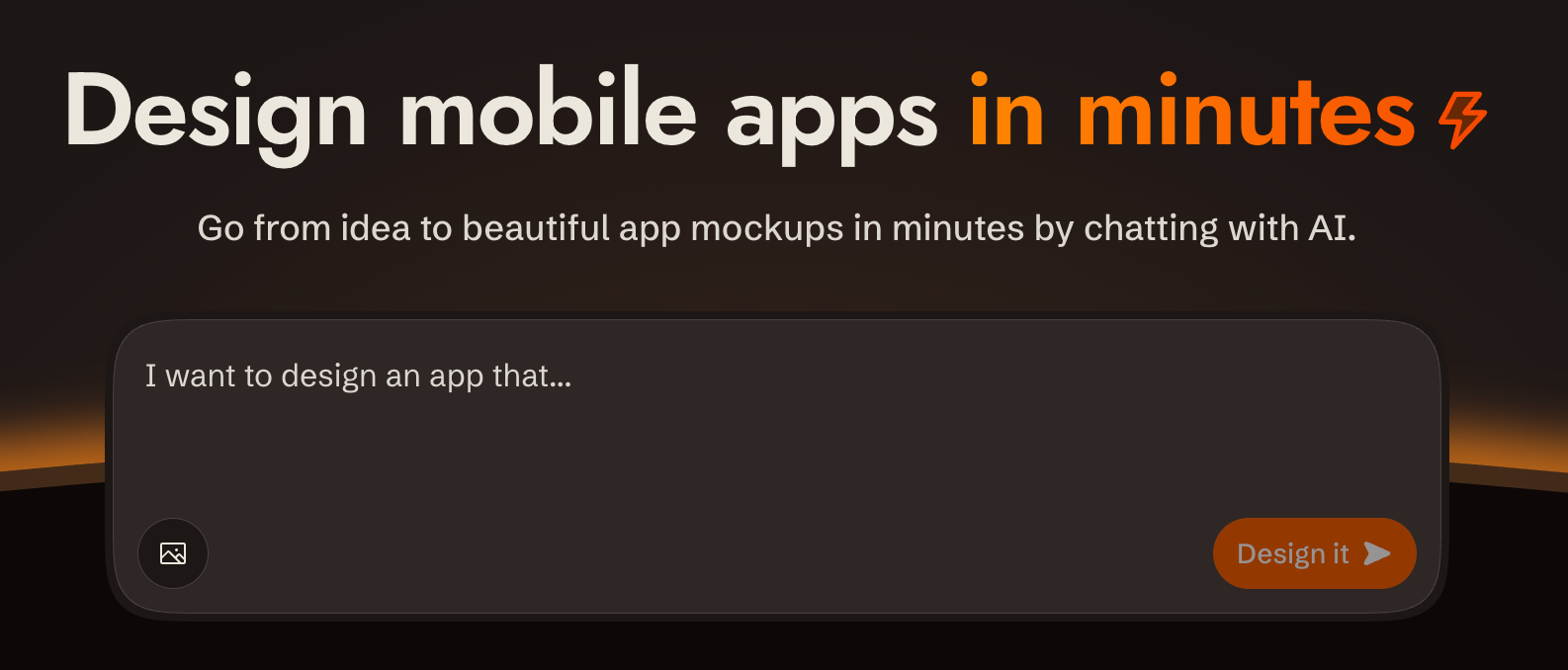](https://sleek.design)
## Overview
[sleek.design](https://sleek.design) provides a REST API at `/api/v1/*` to create projects, design screens from a brief, and fetch their HTML and renders.
**Base URL**: `https://sleek.design`
**Auth**: `Authorization: Bearer $SLEEK_API_KEY`, except the public device start/poll endpoints
**Content-Type**: send `application/json` for JSON request bodies.
**CORS**: Enabled on all `/api/v1/*` endpoints
**Envelope**: check HTTP status first. Successful JSON wraps its payload in `data`; lists also include sibling `pagination`. Errors use top-level `code`, `status` and `message`, with optional `data.url`. Successful screenshots and share cards return image bytes; `204` has no body.
**Ids**: opaque 11-character tokens like `V1StGXR8Z5j`, with no type prefix. Nothing about an id says whether it names a project, screen, component, version or theme, so track each one by the response field it arrived in.
**Parsing responses**: write the body to a file (`curl -o run.json`) and parse the file. Piping JSON through `echo` corrupts it: zsh expands the escaped `\n` inside string values into real newlines, which makes the body invalid JSON.
**API docs**: OpenAPI spec at `https://sleek.design/api/v1/spec.json`; browsable docs at `https://sleek.design/api/v1/docs`. Fetch the spec for any contract detail not covered here.
---
## Designing or implementing
A single run can take both directions — "design me a fitness app and build it in Expo" is a design pass followed by an implementation pass. Gate each pointer on the artefact in front of you rather than on a one-time reading of the request:
**Designing** — you are about to send a chat message to Sleek. Read [designing.md](designing.md) first; it carries the create → chat → screenshot loop, how to author a style direction, and when to seed one from a reference instead.
**Implementing.** Before writing code from a Sleek design, read [implementing.md](implementing.md) for version selection, native conversion, working features, and acceptance checks.
## User shot and review shot
Screenshots come in two framings, and each file below asks for one by name:
- A **user shot** is the default render: viewport height, phone-shaped. This is the one you show the user.
- A **review shot** adds `fullHeight: true`, one component per request. This is the one you judge your own work against.
---
## Prerequisites: API Key
If `SLEEK_API_KEY` is not set, use the device flow so the user never handles the raw key:
1. `POST https://sleek.design/api/v1/device/start` (no auth) with body `{"source": "your-tool-slug"}`. The response contains a `verificationUrl`, a human-checkable `userCode`, a secret `deviceCode`, and a poll `interval` in seconds.
2. Show the user the `verificationUrl` and the `userCode`, and tell them to confirm the code matches before approving.
3. Poll `POST https://sleek.design/api/v1/device/poll` with `{"deviceCode": "..."}` every `interval` seconds. On `pending`, keep waiting. On `approved`, store `data.key` privately as `SLEEK_API_KEY` on that first read: the key is handed over once. On `expired` or `404 NOT_FOUND`, start a new flow. See [Device: Poll](endpoints.md#device-poll) for the response contract.
Fallback: send the user to **https://sleek.design/agents/setup**, which handles sign-in, plan upgrade, and key creation in one place, and ask them to paste the key back to you. Keys can also be managed at **https://sleek.design/dashboard/api-keys**. The full key value is shown only once at creation, and a free account holds one active key at a time.
**Plans**: free accounts can try the API with their one-time trial credits (about one design run), so a new user can see their first design before any payment decision. Sustained use requires the Pro plan or higher. This file carries no figures on purpose — read the current price, billing periods and credit allowance from **https://sleek.design/agents.md**, which is generated from Sleek's live pricing, and quote them from there. When cost becomes relevant (the user asks, an upgrade is needed to continue, or you're about to send them to a payment page), state that pricing plainly, including the yearly option, so the user sees a payment step coming before they reach it.
---
## Quick Reference: All Endpoints
Every endpoint the API exposes:
| Method | Path | Scope |
| -------- | ---------------------------------------------- | ----------------- |
| `GET` | `/api/v1/projects` | `projects:read` |
| `POST` | `/api/v1/projects` | `projects:write` |
| `GET` | `/api/v1/projects/:id` | `projects:read` |
| `DELETE` | `/api/v1/projects/:id` | `projects:write` |
| `GET` | `/api/v1/projects/:id/components` | `components:read` |
| `GET` | `/api/v1/projects/:id/components/:componentId` | `components:read` |
| `GET` | `/api/v1/references` | any valid key |
| `POST` | `/api/v1/projects/:id/chat/messages` | `chats:write` |
| `GET` | `/api/v1/projects/:id/chat/runs/:runId` | `chats:read` |
| `POST` | `/api/v1/projects/:id/chat/runs/:runId/cancel` | `chats:write` |
| `POST` | `/api/v1/screenshots` | `screenshots` |
| `POST` | `/api/v1/share-cards` | `screenshots` |
| `POST` | `/api/v1/device/start` | public, no auth |
| `POST` | `/api/v1/device/poll` | public, no auth |
Create a key holding only the scopes the task uses.
Every row above is specified in full — request body, response shape, field defaults, status codes — in [endpoints.md](endpoints.md). This table is enough to pick an endpoint; read the reference when you need a contract detail it doesn't carry.
---
## Error Shapes
```json
{
"defined": true,
"code": "FORBIDDEN",
"status": 403,
"message": "...",
"data": { "url": "https://sleek.design/..." }
}
```
| HTTP | Code | When |
| ---- | ----------------------- | ------------------------------------------------------------------------ |
| 401 | `UNAUTHORIZED` | Missing/invalid/expired API key |
| 403 | `FORBIDDEN` | Valid key, wrong scope or plan |
| 404 | `NOT_FOUND` | Resource doesn't exist |
| 400 | `BAD_REQUEST` | Validation failure |
| 409 | `CONFLICT` | Another run is active for this project |
| 429 | `TOO_MANY_REQUESTS` | Render cap: 1000 screenshots + share cards per hour per org, counted on API-key requests only |
| 500 | `INTERNAL_SERVER_ERROR` | Server error |
`401`, `403` and `429` bodies may include `data.url`: a page where the user can fix the condition (create a key, upgrade the plan). Share it as-is.
Chat run-level errors (inside `data.error`):
| Code | Meaning |
| --------------------------------- | ---------------------------------------------------------- |
| `out_of_credits` | Organization has no credits left |
| `execution_failed` Pregunta, comparte un consejo o avisa de que no funciona. Ordenado por lo que la gente marcó como útil.
Aún no hay publicaciones. Sé la primera persona en preguntar o compartir.
Lo publicado aquí lo escriben usuarios, no el equipo de PopNx.

