

Figma Context MCP
Give your coding agent access to your Figma data. Implement designs in any framework in one-shot.
MCP · 连接服务在你的电脑上运行
Official Sleek agent skill for creating and editing mobile app designs through the REST API. Includes account setup, screenshots and screen HTML.
如果你是作者,可把这段代码贴到 README。徽章会链接回本页。

[](https://mcp.popnx.com/en/skills/sleekdotdesign-agent-skills)在同一工作中把 AI 连到服务的 MCP
Give your coding agent access to your Figma data. Implement designs in any framework in one-shot.
draw.io diagrams your AI agent draws on a live browser canvas that you can also edit by hand
Create, inspect, validate, and save editable 3D building scenes with Pascal's MCP server.
同类工作,排序与 Skill 列表相同
| 本项 agent-skills | impeccable | diagram-design | frontend-slides | guizang-ppt-skill | |
|---|---|---|---|---|---|
| 作者 | sleekdotdesign | pbakaus | cathrynlavery | zarazhangrui | op7418 |
| Skill 数 | 1 | 1 | 1 | 1 | – |
| GitHub 星标 | 601 | 111,131 | 67,544 | 32,399 | 29,871 |
| 最近代码更新 | 2026年10月5日 | 2026年11月16日 | 2026年11月13日 | 2026年6月24日 | 2026年10月30日 |
| 许可证 | MIT | Apache-2.0 | MIT | MIT | AGPL-3.0 |
sleekdotdesign 提供的 1 个 Skill(指令集),AI 读取后照做 · 不是 MCP server
MCP = 手
把 AI 连到外部服务或数据,例如读取 Notion 或开发票。需要有程序或服务器在运行。
Skill = 手册
教 AI 怎么做某项工作的文本文件,不连接任何服务。
有些会重叠:少数 Skill 带有调用工具的脚本,少数 MCP 只提供知识。请从你想完成的工作出发。
开发者未说明 · SKILL.md 形式的 Skill 可用于支持 Agent Skills 的应用,如 Claude Code、Codex 和 Cursor
GitHub account sleekdotdesign (organization), 2 years old
★ 601 stars · code last changed 2026年10月5日
No, plain text files the AI reads and follows
No scripts, so it does not go online by itself
No hooks or writes to machine settings found
Checked automatically from the repo files at commit fb90438 (read only, nothing was run). Not a safety guarantee: read it and decide for yourself
第一步:你用哪个 AI?
选择你用的应用,本页只显示该应用的安装方法
Files are byte-for-byte the same as on GitHub at commit fb90438 · View on GitHub ↗
Plain text files, no programs
Once uploaded it runs on Claude’s systems, not on your computer. No need to unzip
All 8 files · 59 KB
SKILL.md8 KBdesigning.md8 KBendpoints.md13 KBimplementing.md21 KBstyling/nativewind.md5 KBstyling/stylesheet.md2 KBstyling/uniwind.md2 KBLICENSE1 KB正在检查命令 · 通过后才会显示复制按钮
+Create skillUpload a skillpick sleek-design-mobile-apps.zip
SettingsCapabilitiesCode execution and file creation
Turn on Code execution and file creation first (newer menus: Create and edit files) · personal plans: Settings → Capabilities · Team/Enterprise: an admin turns it on under Organization settings → Plugins & skills · every plan, including Free
Upload once; it works in claude.ai and Claude Desktop, and in recent Claude Code signed in with a Claude account (not with an API key)
Cowork and cloud sessions use the skills turned on in your claude.ai account, not ~/.claude/skills on your computer (Claude Desktop scheduled tasks run locally and still load it)
Checked against official docs 2026年11月12日 · Source: support.claude.com, support.claude.com, code.claude.com
复制这句话,粘贴到 Claude Code 的对话中
For one project, paste it into a chat that is open in that project’s folder · The AI always shows you the path before installing
The AI tells you what it will do first and asks your permission at every step
重新打开 Claude Code,输入 /design-mobile-apps,或直接提出相关任务,Claude 会自动选用
Checked against official docs 2026年11月12日 · Source: code.claude.com
Skill 是 AI 会照做的指令。安装前先阅读文件,只安装可信开发者的 Skill。
已经装好了吗?先检查 · 打开终端,输入这条命令后按 Enter
node -vMac:按 ⌘ + Space,输入 Terminal 后按 Enter
Windows:打开“开始”菜单,输入 Windows PowerShell,然后选“打开”
还没安装: 打开官方下载页,选择 LTS 版本和点选式安装程序:Mac 用 .pkg · Windows 用 .msi。双击后一路下一步即可,不需要 curl 命令
装好后关掉终端再打开,重新运行同一条命令,应显示版本号: node -v
安装一次,所有需要 Node.js 的工具都能用
正在检查命令 · 通过后才会显示复制按钮
摘自开发者 README,会下载并运行开发者的代码
Mac:按 Command+空格输入 Terminal · Windows:下方命令在 PowerShell 中无法使用,请改用上方的“让 AI 帮你安装”
这条命令把 repo 下载到临时文件夹,只复制含 SKILL.md 的文件夹
正在检查命令 · 通过后才会显示复制按钮
ChatGPT 桌面应用内置 Codex,Codex 从 ~/.agents/skills 文件夹读取 Skill
在 ChatGPT 桌面应用中打开 Codex,把这句话粘贴到对话中
The AI always shows you the path before installing
The AI tells you what it will do first and asks your permission at every step
把 sleek-design-mobile-apps 文件夹放到 ~/.agents/skills/sleek-design-mobile-apps
~ 是你的主文件夹($HOME)
Skill 是 AI 会照做的指令。安装前先阅读文件,只安装可信开发者的 Skill。
Mac:按 Command+空格输入 Terminal · Windows:下方命令在 PowerShell 中无法使用,请改用上方的“让 AI 帮你安装”
这条命令把 repo 下载到临时文件夹,只复制含 SKILL.md 的文件夹
正在检查命令 · 通过后才会显示复制按钮
Checked against official docs 2026年11月15日 · Source: learn.chatgpt.com
不能使用你自己安装的 Skill,只能使用目录中插件自带的 Skill
想在 ChatGPT 中使用这个 Skill,请按上面的方法使用 ChatGPT 桌面应用
Checked against official docs 2026年11月15日 · Source: learn.chatgpt.com
复制这句话,粘贴到 Codex 的对话中 · 适用于 ChatGPT 桌面应用中的 Codex、Codex CLI 和 IDE 扩展
For one project, paste it into a chat that is open in that project’s folder · The AI always shows you the path before installing
The AI tells you what it will do first and asks your permission at every step
Codex 会自动发现新安装的 Skill;如果没有出现,请重启 Codex · 使用方法:在 ChatGPT 中输入 @ 并选择 Skill · 在 Codex CLI 或 IDE 扩展中运行 /skills,或输入 $ 加 Skill 名称
Checked against official docs 2026年11月15日 · Source: learn.chatgpt.com
Skill 是 AI 会照做的指令。安装前先阅读文件,只安装可信开发者的 Skill。
Mac:按 Command+空格输入 Terminal · Windows:下方命令在 PowerShell 中无法使用,请改用上方的“让 AI 帮你安装”
这条命令把 repo 下载到临时文件夹,只复制含 SKILL.md 的文件夹
正在检查命令 · 通过后才会显示复制按钮
复制这句话,粘贴到 Cursor 的对话中
For one project, paste it into a chat that is open in that project’s folder · The AI always shows you the path before installing
The AI tells you what it will do first and asks your permission at every step
在 Cursor 的 Agent 聊天中输入 / 并选择 design-mobile-apps
Checked against official docs 2026年11月12日 · Source: cursor.com
Skill 是 AI 会照做的指令。安装前先阅读文件,只安装可信开发者的 Skill。
Mac:按 Command+空格输入 Terminal · Windows:下方命令在 PowerShell 中无法使用,请改用上方的“让 AI 帮你安装”
这条命令把 repo 下载到临时文件夹,只复制含 SKILL.md 的文件夹
正在检查命令 · 通过后才会显示复制按钮
适用于其他能读取 Skill 的应用。这句话列出了 Claude Code、Codex 和 Cursor 的路径,AI 会按你的应用选择 · Copy this sentence into the app’s chat
For one project, paste it into a chat that is open in that project’s folder · The AI always shows you the path before installing
The AI tells you what it will do first and asks your permission at every step
Checked against official docs 2026年11月12日 · Source: code.claude.com, learn.chatgpt.com, cursor.com
其他支持 Agent Skills 的应用(如 Gemini CLI、GitHub Copilot)使用不同文件夹,请查看该应用的指南,再把含 SKILL.md 的文件夹复制过去。
已于 2026年11月11日 对照 Claude Code、Codex 和 Cursor 官方指南核实 skill 文件夹
以下文字来自开发者的 repo,不是 PopNx MCP 的指令
显示前 8,000 个字符 · 在 GitHub 打开完整文件
---
name: sleek-design-mobile-apps
description: Design mobile app screens with Sleek, edit Sleek projects, and implement their designs in React Native or HTML.
metadata:
requires-env: SLEEK_API_KEY
---
# Designing with Sleek
[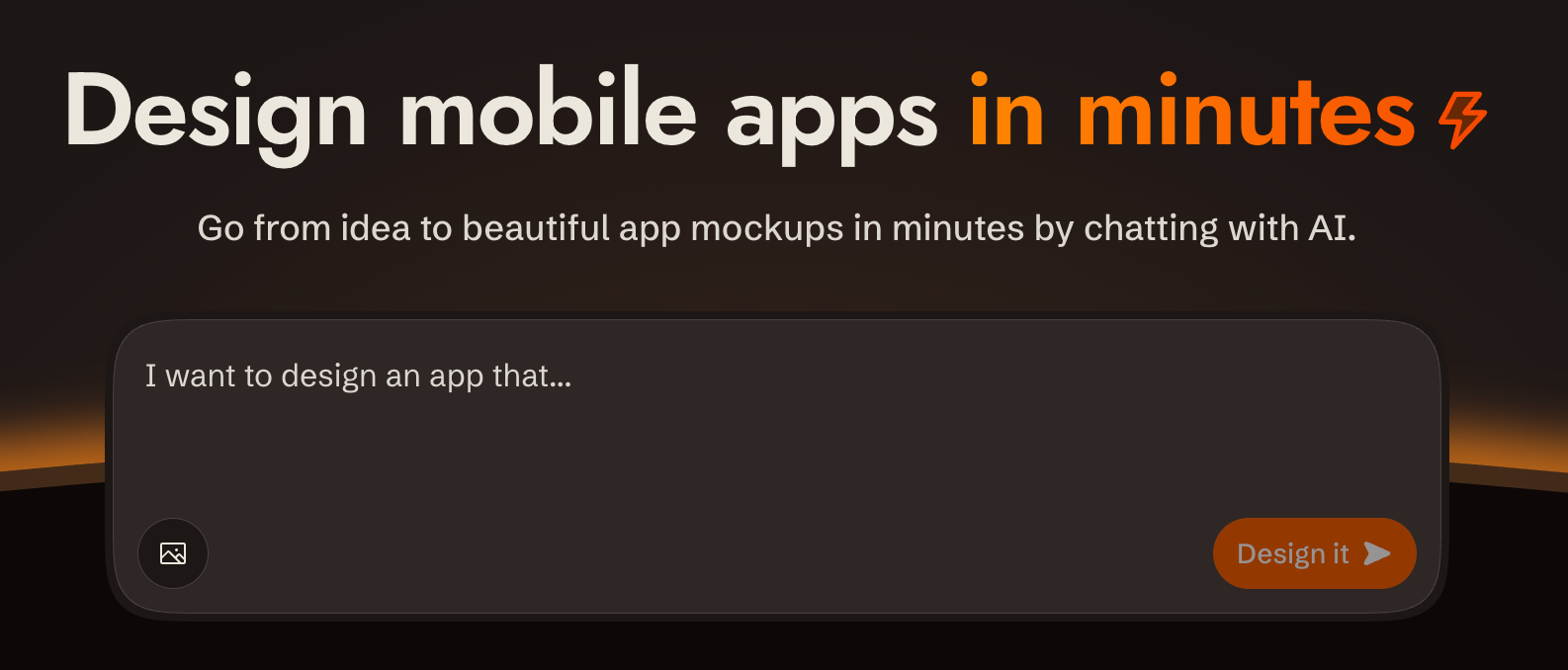](https://sleek.design)
## Overview
[sleek.design](https://sleek.design) provides a REST API at `/api/v1/*` to create projects, design screens from a brief, and fetch their HTML and renders.
**Base URL**: `https://sleek.design`
**Auth**: `Authorization: Bearer $SLEEK_API_KEY`, except the public device start/poll endpoints
**Content-Type**: send `application/json` for JSON request bodies.
**CORS**: Enabled on all `/api/v1/*` endpoints
**Envelope**: check HTTP status first. Successful JSON wraps its payload in `data`; lists also include sibling `pagination`. Errors use top-level `code`, `status` and `message`, with optional `data.url`. Successful screenshots and share cards return image bytes; `204` has no body.
**Ids**: opaque 11-character tokens like `V1StGXR8Z5j`, with no type prefix. Nothing about an id says whether it names a project, screen, component, version or theme, so track each one by the response field it arrived in.
**Parsing responses**: write the body to a file (`curl -o run.json`) and parse the file. Piping JSON through `echo` corrupts it: zsh expands the escaped `\n` inside string values into real newlines, which makes the body invalid JSON.
**API docs**: OpenAPI spec at `https://sleek.design/api/v1/spec.json`; browsable docs at `https://sleek.design/api/v1/docs`. Fetch the spec for any contract detail not covered here.
---
## Designing or implementing
A single run can take both directions — "design me a fitness app and build it in Expo" is a design pass followed by an implementation pass. Gate each pointer on the artefact in front of you rather than on a one-time reading of the request:
**Designing** — you are about to send a chat message to Sleek. Read [designing.md](designing.md) first; it carries the create → chat → screenshot loop, how to author a style direction, and when to seed one from a reference instead.
**Implementing.** Before writing code from a Sleek design, read [implementing.md](implementing.md) for version selection, native conversion, working features, and acceptance checks.
## User shot and review shot
Screenshots come in two framings, and each file below asks for one by name:
- A **user shot** is the default render: viewport height, phone-shaped. This is the one you show the user.
- A **review shot** adds `fullHeight: true`, one component per request. This is the one you judge your own work against.
---
## Prerequisites: API Key
If `SLEEK_API_KEY` is not set, use the device flow so the user never handles the raw key:
1. `POST https://sleek.design/api/v1/device/start` (no auth) with body `{"source": "your-tool-slug"}`. The response contains a `verificationUrl`, a human-checkable `userCode`, a secret `deviceCode`, and a poll `interval` in seconds.
2. Show the user the `verificationUrl` and the `userCode`, and tell them to confirm the code matches before approving.
3. Poll `POST https://sleek.design/api/v1/device/poll` with `{"deviceCode": "..."}` every `interval` seconds. On `pending`, keep waiting. On `approved`, store `data.key` privately as `SLEEK_API_KEY` on that first read: the key is handed over once. On `expired` or `404 NOT_FOUND`, start a new flow. See [Device: Poll](endpoints.md#device-poll) for the response contract.
Fallback: send the user to **https://sleek.design/agents/setup**, which handles sign-in, plan upgrade, and key creation in one place, and ask them to paste the key back to you. Keys can also be managed at **https://sleek.design/dashboard/api-keys**. The full key value is shown only once at creation, and a free account holds one active key at a time.
**Plans**: free accounts can try the API with their one-time trial credits (about one design run), so a new user can see their first design before any payment decision. Sustained use requires the Pro plan or higher. This file carries no figures on purpose — read the current price, billing periods and credit allowance from **https://sleek.design/agents.md**, which is generated from Sleek's live pricing, and quote them from there. When cost becomes relevant (the user asks, an upgrade is needed to continue, or you're about to send them to a payment page), state that pricing plainly, including the yearly option, so the user sees a payment step coming before they reach it.
---
## Quick Reference: All Endpoints
Every endpoint the API exposes:
| Method | Path | Scope |
| -------- | ---------------------------------------------- | ----------------- |
| `GET` | `/api/v1/projects` | `projects:read` |
| `POST` | `/api/v1/projects` | `projects:write` |
| `GET` | `/api/v1/projects/:id` | `projects:read` |
| `DELETE` | `/api/v1/projects/:id` | `projects:write` |
| `GET` | `/api/v1/projects/:id/components` | `components:read` |
| `GET` | `/api/v1/projects/:id/components/:componentId` | `components:read` |
| `GET` | `/api/v1/references` | any valid key |
| `POST` | `/api/v1/projects/:id/chat/messages` | `chats:write` |
| `GET` | `/api/v1/projects/:id/chat/runs/:runId` | `chats:read` |
| `POST` | `/api/v1/projects/:id/chat/runs/:runId/cancel` | `chats:write` |
| `POST` | `/api/v1/screenshots` | `screenshots` |
| `POST` | `/api/v1/share-cards` | `screenshots` |
| `POST` | `/api/v1/device/start` | public, no auth |
| `POST` | `/api/v1/device/poll` | public, no auth |
Create a key holding only the scopes the task uses.
Every row above is specified in full — request body, response shape, field defaults, status codes — in [endpoints.md](endpoints.md). This table is enough to pick an endpoint; read the reference when you need a contract detail it doesn't carry.
---
## Error Shapes
```json
{
"defined": true,
"code": "FORBIDDEN",
"status": 403,
"message": "...",
"data": { "url": "https://sleek.design/..." }
}
```
| HTTP | Code | When |
| ---- | ----------------------- | ------------------------------------------------------------------------ |
| 401 | `UNAUTHORIZED` | Missing/invalid/expired API key |
| 403 | `FORBIDDEN` | Valid key, wrong scope or plan |
| 404 | `NOT_FOUND` | Resource doesn't exist |
| 400 | `BAD_REQUEST` | Validation failure |
| 409 | `CONFLICT` | Another run is active for this project |
| 429 | `TOO_MANY_REQUESTS` | Render cap: 1000 screenshots + share cards per hour per org, counted on API-key requests only |
| 500 | `INTERNAL_SERVER_ERROR` | Server error |
`401`, `403` and `429` bodies may include `data.url`: a page where the user can fix the condition (create a key, upgrade the plan). Share it as-is.
Chat run-level errors (inside `data.error`):
| Code | Meaning |
| --------------------------------- | ---------------------------------------------------------- |
| `out_of_credits` | Organization has no credits left |
| `execution_failed` 提问、分享技巧或报告无法使用。按“有帮助”数量排序。

